A card for every listing, in every agent's name.
Price, address, beds, baths and the lead photo go into a template once. Each listing then gets a card for its listing page, Just listed, Open house and Sold posts at every size, and a short video, with the listing agent's face and number on every one.
150 images a month free, no card. A brokerage with 60 new listings a month, each with its posts and a video, fits in the $9 plan.
curl -X POST https://api.imageapis.com/v1/images \
  -H 'X-API-Key: YOUR_KEY' -H 'Content-Type: application/json' \
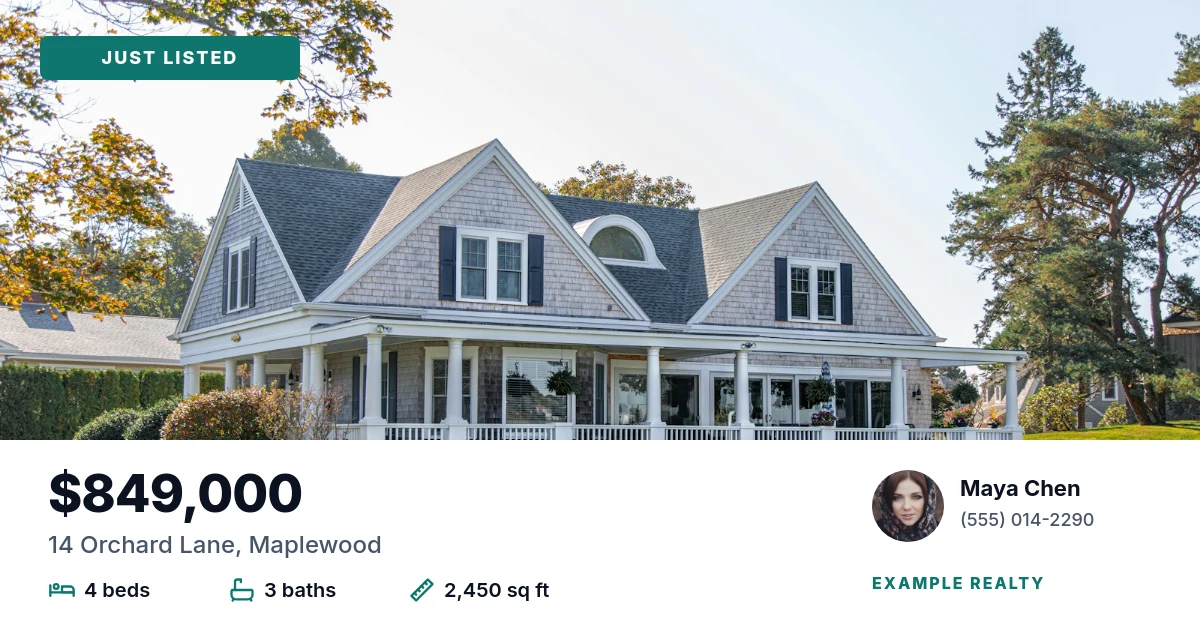
-d '{"template": "tpl_…", "variables": {"status": "Just listed", "price": "$849,000", "address": "14 Orchard Lane, Maplewood", "beds": "4 beds", "baths": "3 baths", "area": "2,450 sq ft", "agent": "Maya Chen", "phone": "(555) 014-2290", "office": "Example Realty", "agent_photo": "https://i.pravatar.cc/160?img=47", "photo": "https://images.unsplash.com/photo-1570129477492-45c003edd2be?w=1600"}}'Three ways in, from one template.
Listing pages make their own cards when a link is shared. The week's new listings, open houses and sales come from a CSV. A brokerage puts each agent's face on their own listings.
On the listing page: a signed URL
The page that shows a listing builds its image URL from the listing, whether that page is an IDX site, a WordPress theme or a Next.js app. The status and price are in the URL, so when a listing goes to Open house or Sold, its next share shows the new card.
From the listings: a CSV a week
Export the new listings, open houses and sales, one row each, and post the file. A status.background column turns the chip blue for an open house or red for a sale. From a CRM or Airtable, the Zapier app does the same a listing at a time.
For a brokerage: each agent's brand
Keep each agent's name, photo and phone, and their office's colour, as a brand kit. Render a listing with its agent's brand and the card, the posts and the video all carry the right face and number.
# 1. Copy the property listing starter into your account; its id is your template
curl -s https://api.imageapis.com/v1/starters/property-listing -H 'X-API-Key: YOUR_KEY' | jq .template > card.json
curl -X POST https://api.imageapis.com/v1/templates -H 'X-API-Key: YOUR_KEY' \
  -H 'Content-Type: application/json' -d @card.json
# → { "id": "tpl_…", "object": "template", … }

# 2. For listing pages: a signed base that can render that template and nothing else
curl -X POST https://api.imageapis.com/v1/signed-bases -H 'X-API-Key: YOUR_KEY' \
  -H 'Content-Type: application/json' -d '{"name":"listing cards","template":"tpl_…"}'
# → { "id": "sb_…", "secret": "sbs_…", … }   keep them as OG_TEMPLATE, OG_BASE and OG_SECRET
// Any server that renders the listing page; here an Express route
import { createHmac } from "node:crypto";
function listingCardUrl(listing) {
const query = new URLSearchParams({
status: listing.statusLabel, // "Just listed", "Open house · Sat 1–3 pm", "Sold"
price: listing.priceLabel, // "$849,000", written the way your site writes it
address: `${listing.street}, ${listing.city}`,
beds: `${listing.beds} beds`,
baths: `${listing.baths} baths`,
area: `${listing.sqft.toLocaleString("en-US")} sq ft`,
agent: listing.agent.name,
phone: listing.agent.phone,
office: listing.office.name,
agent_photo: listing.agent.photoUrl,
photo: listing.photos[0],
}).toString();
const path = `/s/${process.env.OG_BASE}/${process.env.OG_TEMPLATE}.png`;
const sig = createHmac("sha256", process.env.OG_SECRET).update(`${path}?${query}`).digest("hex");
return `https://img.imageapis.com${path}?${query}&sig=${sig}`;
}
app.get("/listings/:id", async (req, res) => {
const listing = await getListing(req.params.id);
// in the view: <meta property="og:image" content="<%= ogImage %>">, and the same for twitter:image
res.render("listing", { listing, ogImage: listingCardUrl(listing) });
});# listings.csv: a column per {{placeholder}}; status.background recolours the chip for one row
# (an empty cell keeps the template's teal); a column starting with _ comes back as metadata
status,price,address,beds,baths,area,agent,phone,office,agent_photo,photo,status.background,_mls
Just listed,"$849,000","14 Orchard Lane, Maplewood",4 beds,3 baths,"2,450 sq ft",Maya Chen,(555) 014-2290,Example Realty,https://cdn.example.com/agents/maya.jpg,https://cdn.example.com/l/4471/1.jpg,,4471
Open house · Sat 1–3 pm,"$615,000","22 Pine Hollow Road, Lakeside",3 beds,2 baths,"1,780 sq ft",Daniel Ortiz,(555) 014-2290,Example Realty,https://cdn.example.com/agents/daniel.jpg,https://cdn.example.com/l/4388/1.jpg,#1d4ed8,4388
Sold · over asking,"$2,100,000","301 Harbor View Drive, Bayside",5 beds,5 baths,"4,600 sq ft",Maya Chen,(555) 014-2290,Example Realty,https://cdn.example.com/agents/maya.jpg,https://cdn.example.com/l/4102/1.jpg,#b91c1c,4102
curl -X POST "https://api.imageapis.com/v1/collections?template=tpl_…&webhook_url=https://example.com/hooks/listing-cards" \
-H 'X-API-Key: YOUR_KEY' -H 'Content-Type: text/csv' --data-binary @listings.csv
# → 202 { "id": "col_…", "status": "pending", "images": [
# { "index": 0, "id": "img_…", "url": "https://img.imageapis.com/i/img_….png", "metadata": { "mls": "4471" } }, … ] }# One listing at three sizes, as laid out: the photo covers each canvas and the band stays at the foot
curl -X POST https://api.imageapis.com/v1/images/sizes -H 'X-API-Key: YOUR_KEY' -H 'Content-Type: application/json' \
-d '{"template":"tpl_…",
"variables":{"status":"Just listed","price":"$849,000","address":"14 Orchard Lane, Maplewood",
"beds":"4 beds","baths":"3 baths","area":"2,450 sq ft","agent":"Maya Chen","phone":"(555) 014-2290",
"office":"Example Realty","agent_photo":"https://cdn.example.com/agents/maya.jpg",
"photo":"https://cdn.example.com/l/4471/1.jpg"},
"sizes":["instagram-post","instagram-portrait","instagram-story"]}'
# → 201 { "object": "list", "units": 3, "images": [{ "size": "instagram-post", "width": 1080, "height": 1080, "url": … }, …] }
# Want bigger type on the story? Give that size its own modifications:
# { "preset": "instagram-story", "modifications": [{ "name": "price", "size": 64 }] }# A listing video template is a card whose layers move. The three photos stack, each fading in over the last:
# { "name": "photo2", "type": "image", "src": "{{photo2}}", …, "animate": { "in": "fade", "in_at": 3, "in_duration": 0.8 } }
# { "name": "photo3", "type": "image", "src": "{{photo3}}", …, "animate": { "in": "fade", "in_at": 6, "in_duration": 0.8 } }
# { "name": "panel", "type": "rect", …, "animate": { "in": "slide-up", "in_at": 0.2 } }
# { "name": "status", "type": "text", …, "animate": { "in": "pop", "in_at": 0.5 } }
curl -X POST https://api.imageapis.com/v1/videos -H 'X-API-Key: YOUR_KEY' -H 'Content-Type: application/json' \
-d '{"template":"tpl_…","format":"mp4","duration":9,
"variables":{"status":"Just listed","price":"$1,295,000","address":"8 Ridgeview Court, Cedar Hills",
"beds":"5 beds","baths":"4 baths","area":"3,900 sq ft",
"photo1":"https://cdn.example.com/l/4520/1.jpg","photo2":"https://cdn.example.com/l/4520/2.jpg",
"photo3":"https://cdn.example.com/l/4520/3.jpg"},
"audio":{"url":"https://example.com/music/calm.mp3","volume":0.7,"fade_out":1.5},
"webhook_url":"https://example.com/hooks/listing-videos"}'
# → 202 { "id": "vid_…", "status": "pending", "url": "https://img.imageapis.com/i/vid_….mp4", … }
# the url answers once the file is done; nine seconds is nine images# Once per agent: their name, photo and phone, and the office's colour
curl -X POST https://api.imageapis.com/v1/brands -H 'X-API-Key: YOUR_KEY' -H 'Content-Type: application/json' \
-d '{"name":"Maya Chen","colors":{"primary":"#0f766e"},
"images":{"headshot":"https://cdn.example.com/agents/maya.jpg"},
"values":{"phone":"(555) 014-2290","office":"Example Realty"}}'
# → { "id": "brand_…", "object": "brand", … }
# Once: in your copy of the listing card, point the agent's layers at the brand
# agent_photo → "src": "{{brand.image.headshot}}" agent → "text": "{{brand.name}}"
# phone → "text": "{{brand.phone}}" office → "text": "{{brand.office}}", "color": "{{brand.color.primary}}"
# status → "background": "{{brand.color.primary}}"
# Every render of a listing names its agent's brand
curl -X POST https://api.imageapis.com/v1/images -H 'X-API-Key: YOUR_KEY' -H 'Content-Type: application/json' \
-d '{"template":"tpl_…","brand":"brand_…",
"variables":{"status":"Just listed","price":"$849,000","address":"14 Orchard Lane, Maplewood",
"beds":"4 beds","baths":"3 baths","area":"2,450 sq ft","photo":"https://cdn.example.com/l/4471/1.jpg"}}'
# Sizes, collections, videos and signed URLs take "brand" too: …/tpl_….png?brand=brand_…&price=…&sig=…Sign the query string exactly as you send it: URLSearchParams writes spaces as +, and the example signs the string it then puts in the URL. The signed URLs guide has PHP and Python for a WordPress or Django listing site, and the sizes and brands guide covers both features in full.
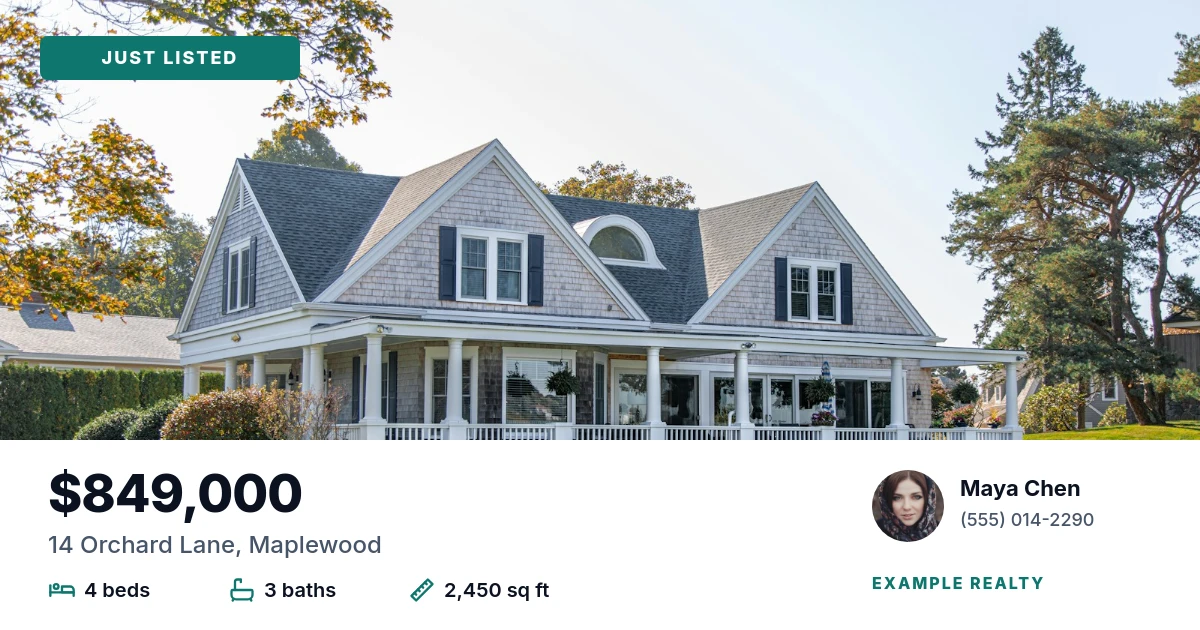
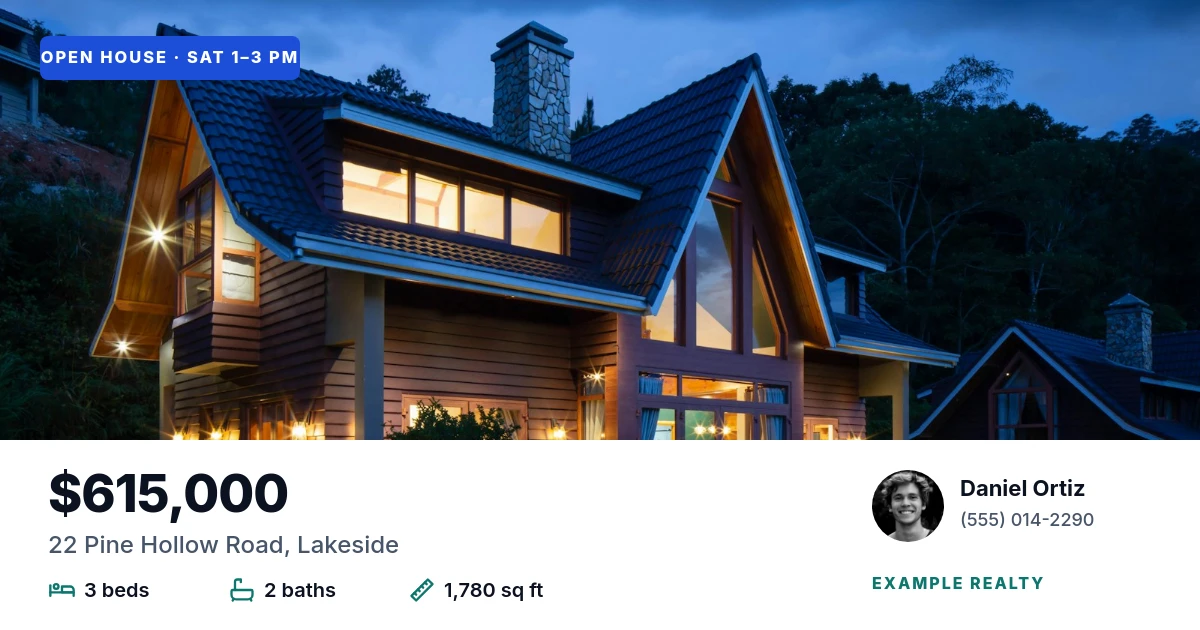
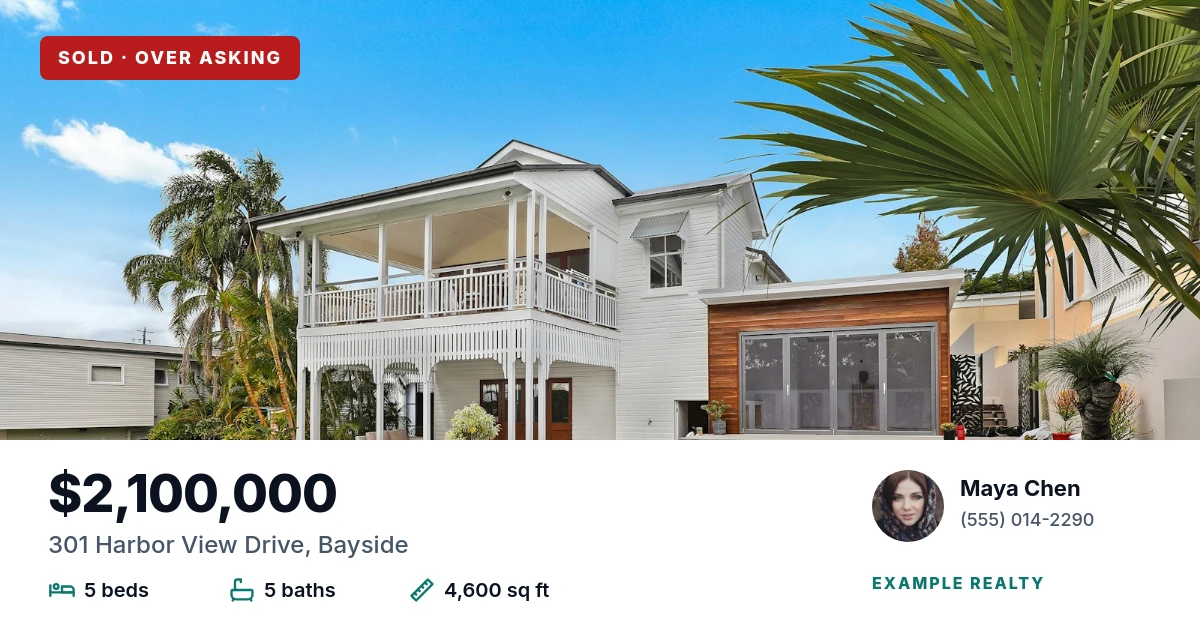
Just listed, Open house, Sold.
The same template, three rows of the CSV above. The status is a variable and its colour a status.background column; prices, addresses and areas come in written the way your market writes them, and each line shrinks to fit.
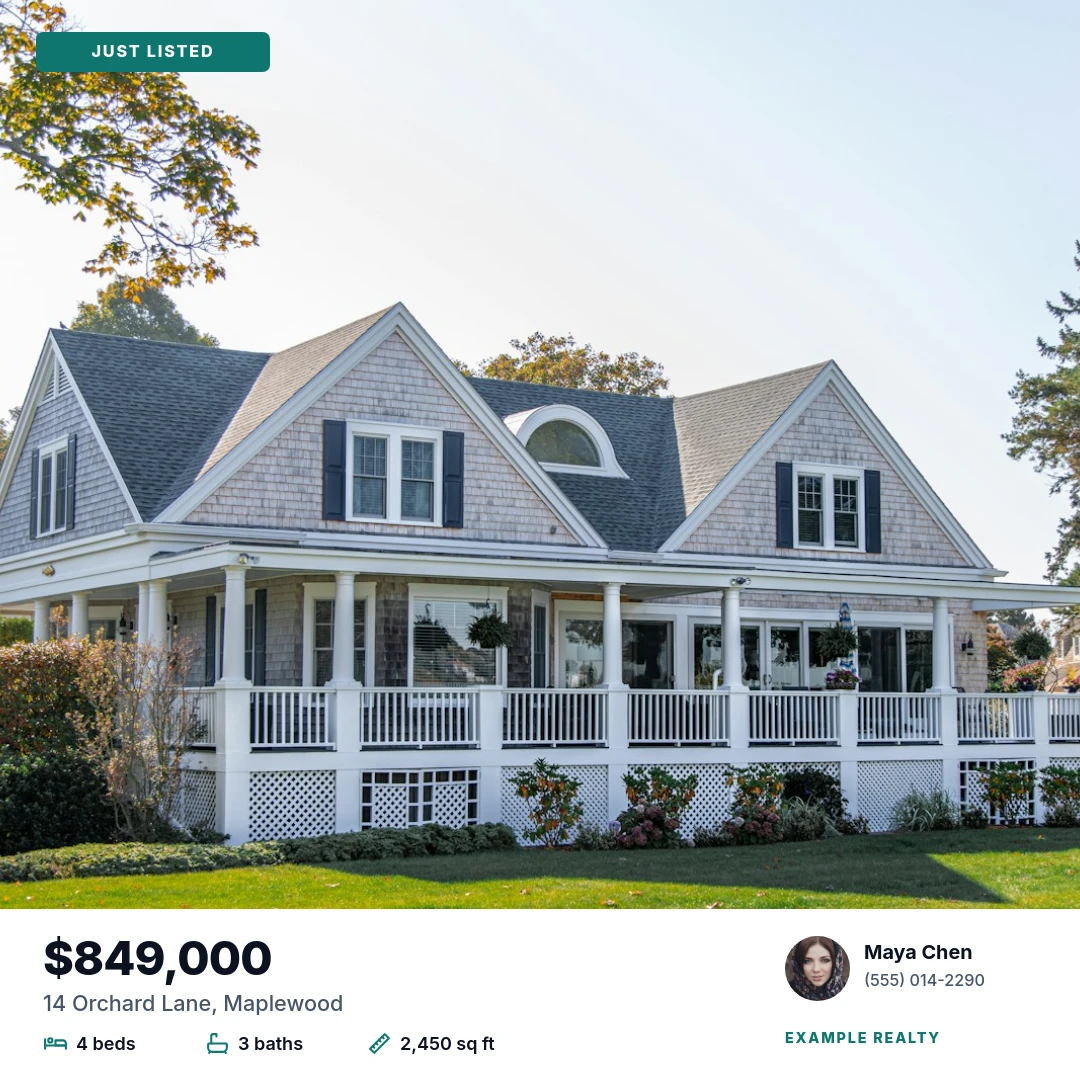
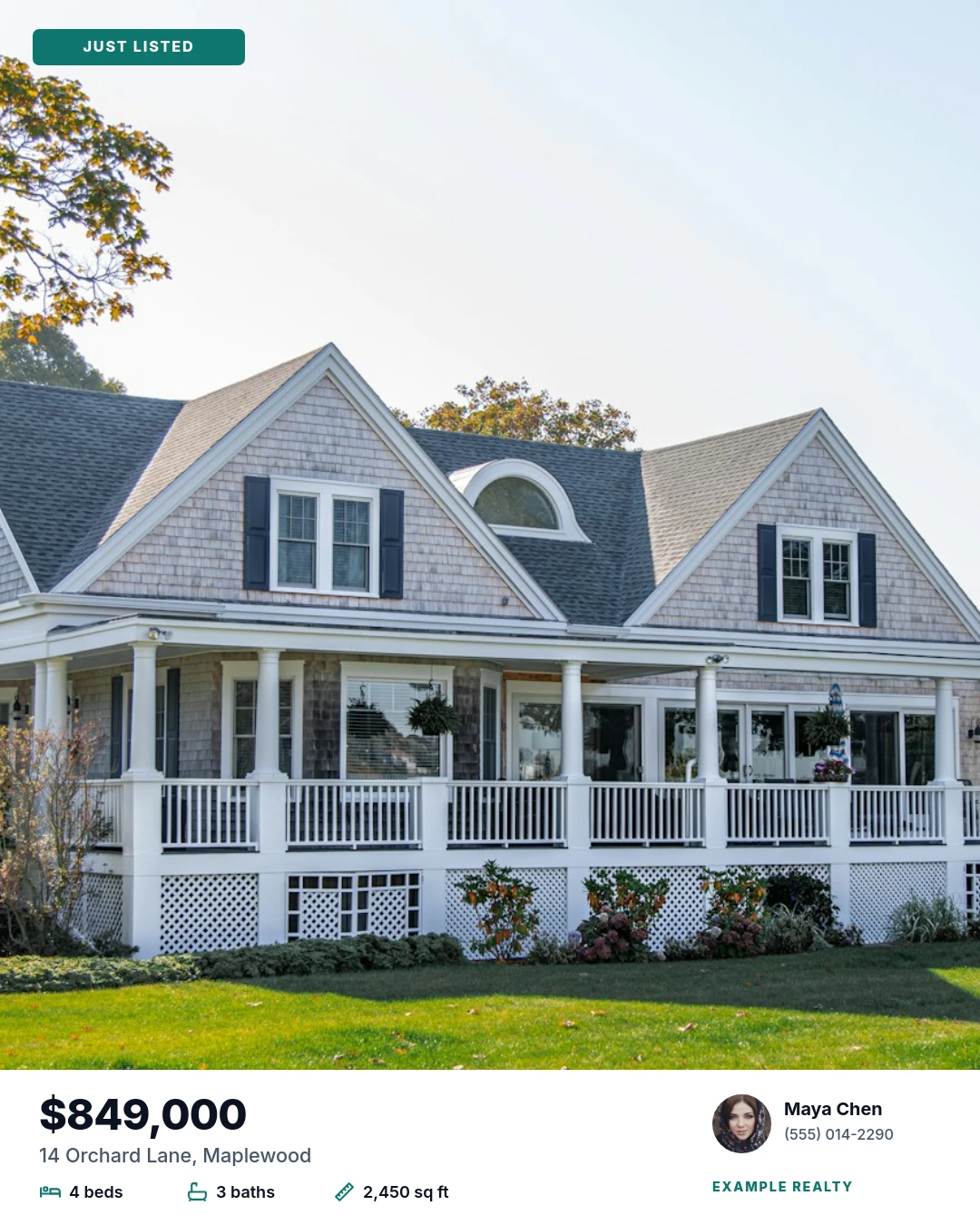
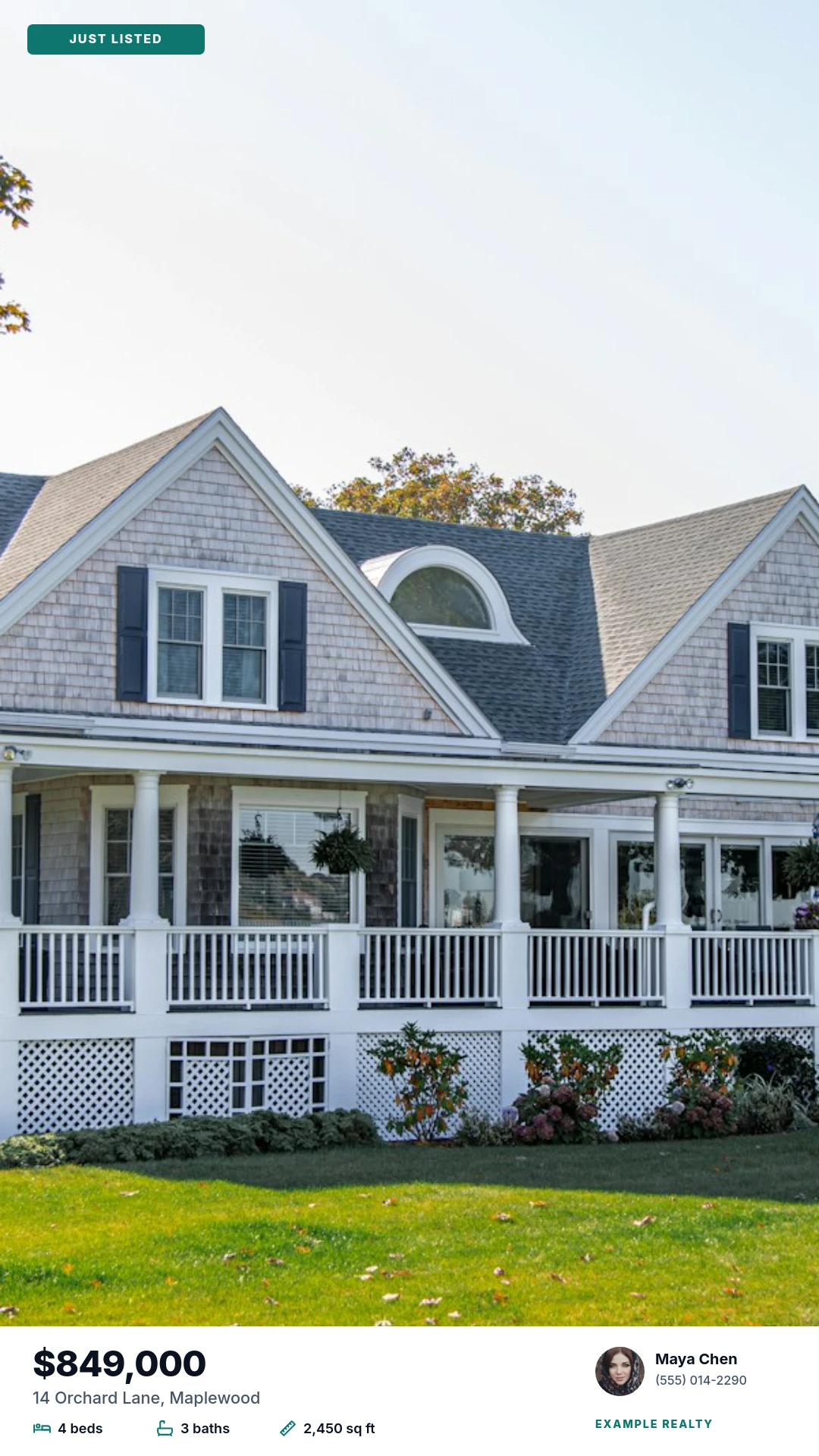
Square, portrait and story, as laid out.
POST /v1/images/sizes lays the card out again at each size you name. This one needs no modifications: the photo covers each canvas, and the band of details stretches across the foot with the agent held to its corner. On a story the details stay the size they were on the card; give that size its own modifications if you want them larger.
Three photos and the price, as a video.
A video template is a card whose layers move. Here the photos stack, each fading in over the last, while the band slides up and the status pops in.
Give the layers an entrance
animate on a layer sets how it arrives and when: a fade at 3 s for the second photo, at 6 s for the third. The editor plays it back before you render.
Render an MP4, WebM or GIF
Up to 30 seconds and 1080p, with a soundtrack under the MP4 or WebM if you give it a track. The answer comes at once with the file's URL; a webhook says when it is ready.
Post it where reels and stories go
One image per second of video, so this one is nine. The videos guide has every animation option.
The rest of what a brokerage asks for.
Flyers that go to print
A Letter or A4 flyer from a template, as a print-ready PDF with bleed and crop marks, one image per page. Print-ready PDFs.
QR codes for yard signs
A code that opens the listing, as SVG for the sign maker, or a QR layer on the flyer itself. Make a QR code.
Market reports
A chart of the month's median prices or days on market, as SVG for the newsletter or PNG for social; the weekly report starter makes a whole card of them. Make a chart.
Photos from a shared drive
Image layers need a public URL. Upload a listing photo once and it is served from img.imageapis.com until you delete it. Uploads are free. Upload images.
From the CRM
The ImageAPIs app for Zapier makes a card when a row lands in Airtable or a deal moves in a CRM that Zapier connects to. Make and n8n use the API and webhooks. The Zapier guide.
From your assistant
Connect the MCP server to Claude, Cursor or your own agent with the same key, and it can write the open house post and make its card from the listing. Set it up.
About twenty images a listing.
A listing's card for its page, Just listed, Open house and Sold at three sizes each, and a nine-second video come to about twenty images. A flyer is one more per page.
| New listings a month | Images a month, roughly | Plan |
|---|---|---|
| 5 | 100 | Free, $0 (150 included) |
| 60 | 1,200 | Starter, $9 (2,000 included) |
| 400 | 8,000 | Growth, $29 (10,000 included) |
| 1,800 | 36,000 | Scale, $79 (40,000 included) |
Counted as one card, nine status posts and a nine-second video a listing; a video costs one image per second. A listing page's card shared again after its week in the cache is one more. Past a paid plan's images, renders cost $2 to $4 per 1,000; the free plan stops at 150. All plans.
Read further.
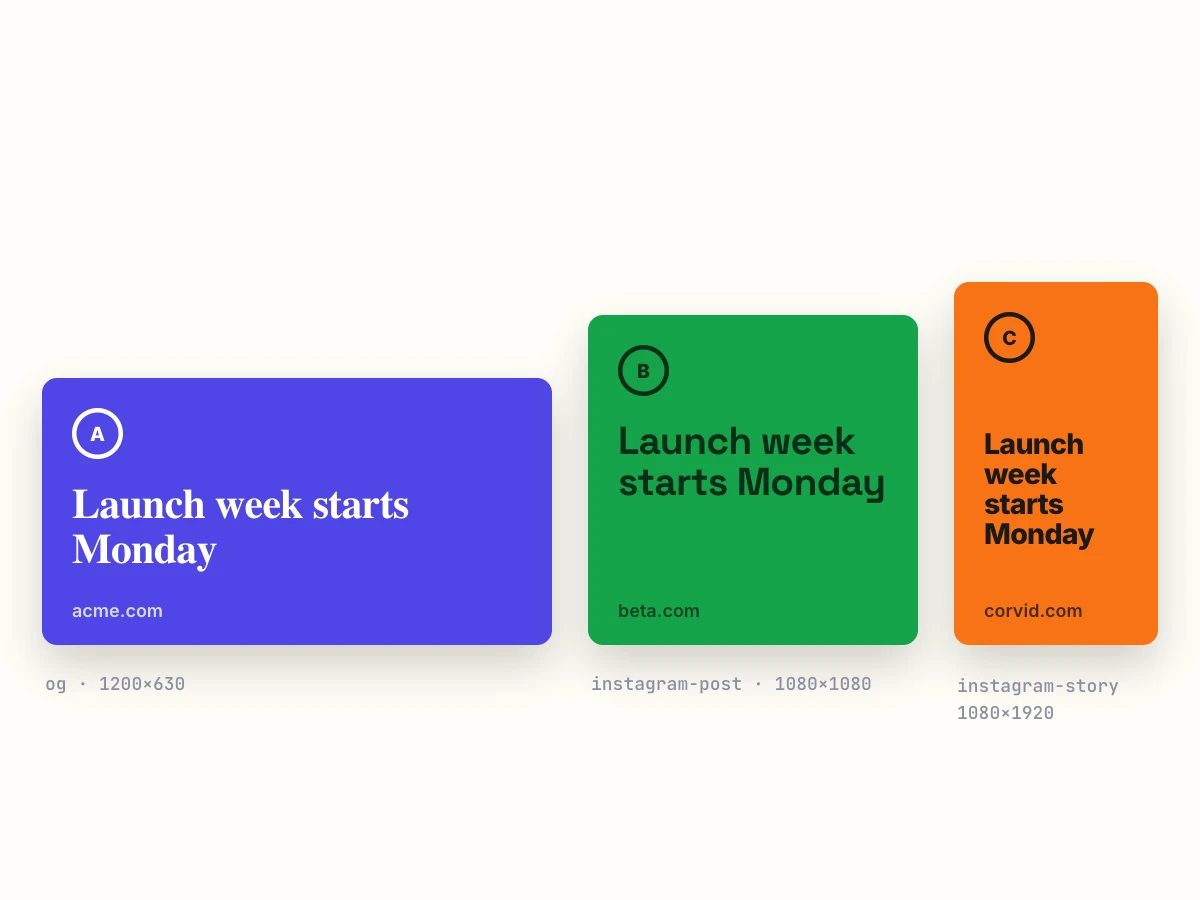
One template, every size and every brand
Render one design as an Open Graph card, a square post, a story and a banner in one call with POST /v1/images/sizes, and fill each customer's colours, fonts and logo from a brand kit with {{brand.…}} placeholders.
curl · Node · 4 min read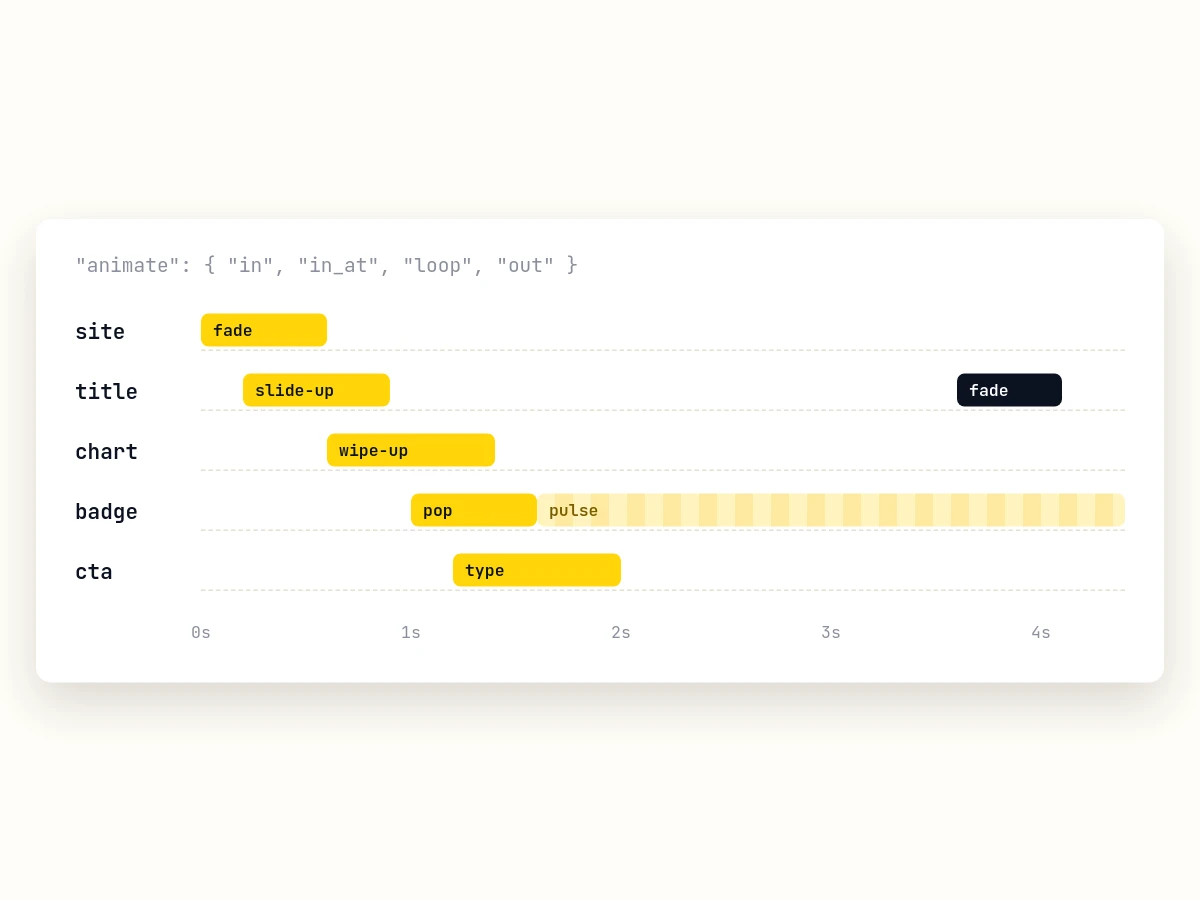
Videos from templates
Give template layers an entrance, a loop or an exit and render the template as an MP4, WebM or GIF. Every animation option, timing, formats, waiting or webhooks, HTML with CSS animations, cost and limits.
curl · Python · CSS · 5 min read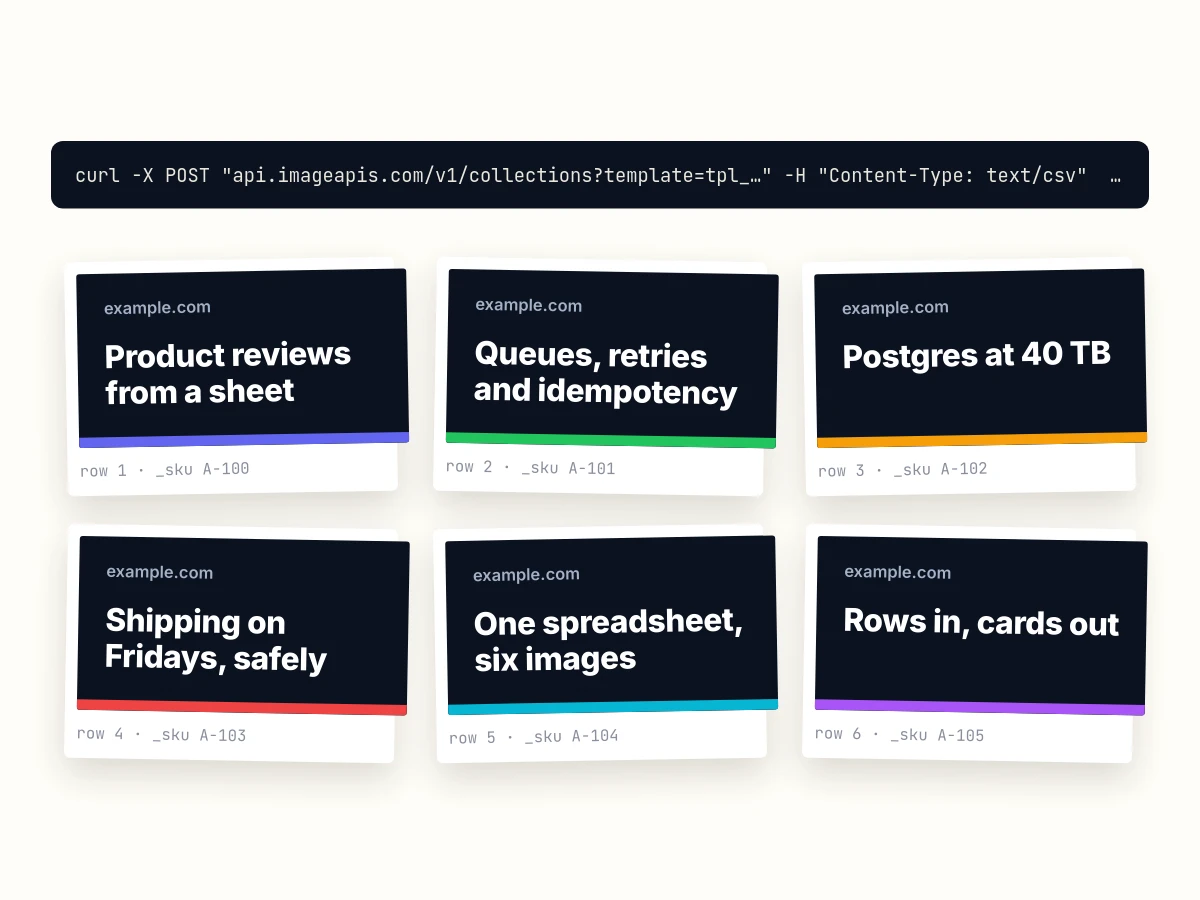
Images from a CSV
Turn a CSV or a Google Sheet into one image per row with one API call. Columns fill placeholders or change layers by name, up to 1,000 rows, a webhook when they are done, and how to retry the rows that failed.
curl · Python · Google Sheets · 4 min read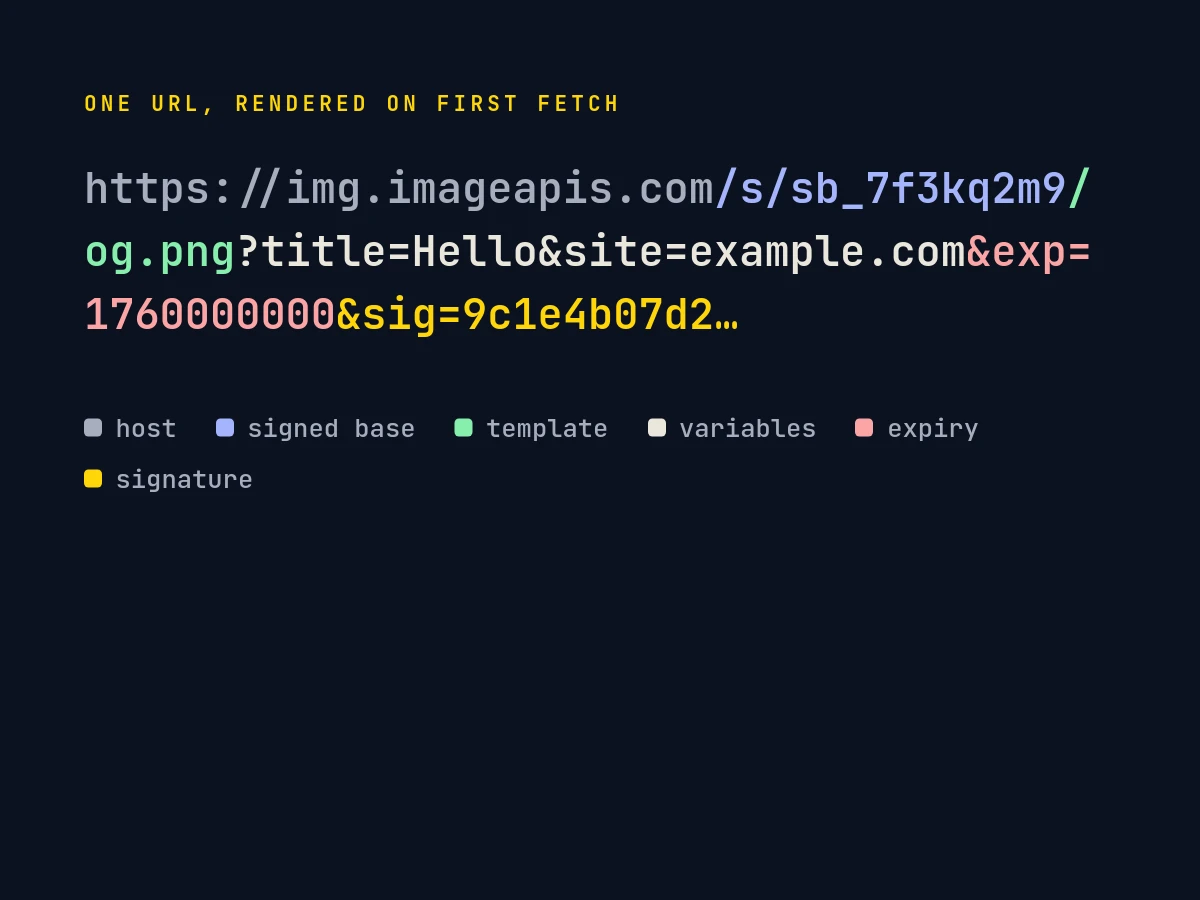
Signed URLs
How imageapis.com signed URLs work: HMAC-SHA256 over the path and query, expiry, template locking, edge caching, revocation, charts and QR codes as SVG, and the four lines of code in Python, Node and PHP.
Python · Node · PHP · 4 min read
Print-ready PDFs with bleed and crop marks
Make certificates, cards, posters and invitations a print shop will take: POST /v1/pdfs with bleed and crop_marks turns a template into a PDF whose artwork runs past the trim, with hairline cut marks and the trim and bleed boxes set.
curl · Python · 2 min read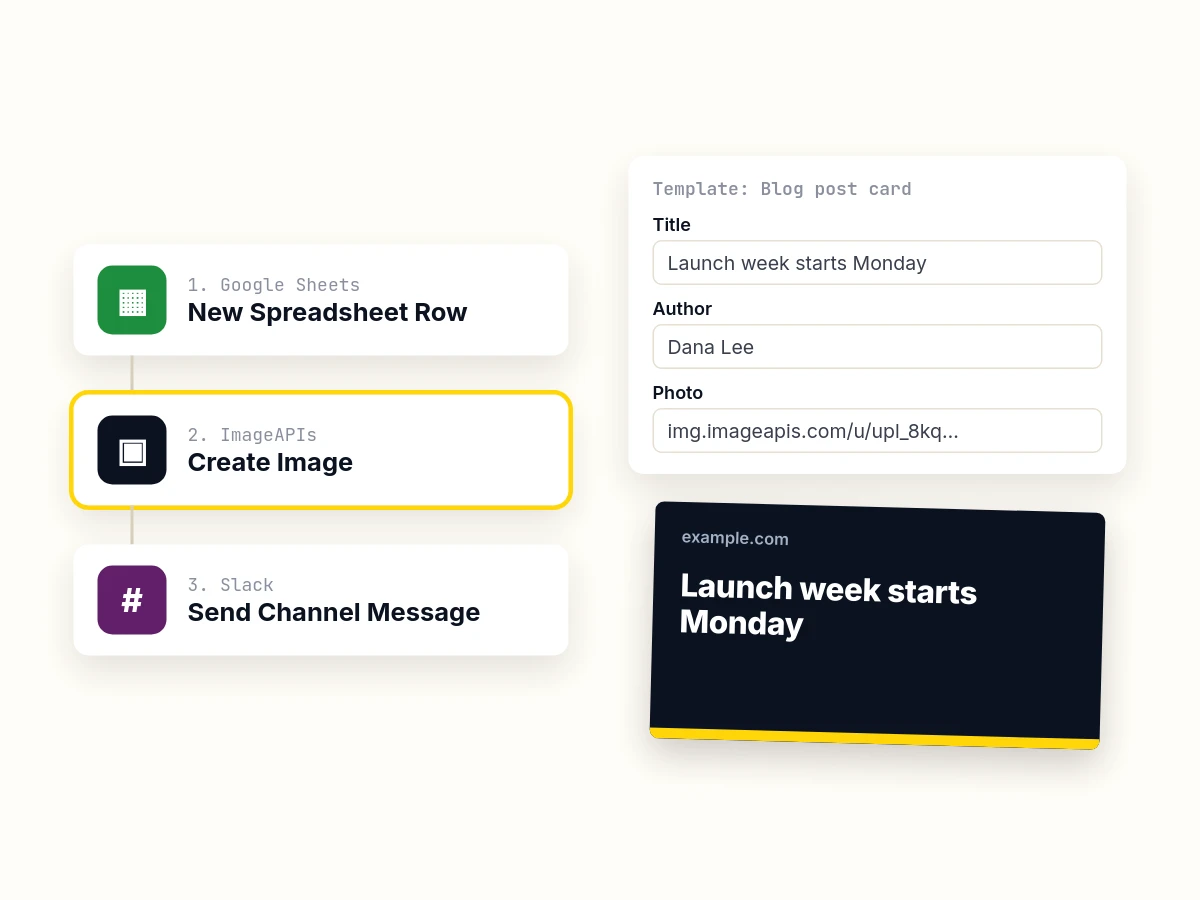
ImageAPIs on Zapier
Make an image, video, screenshot or PDF in a Zap from a spreadsheet row, a form, a new post or a product. Your template's placeholders become form fields; finished renders trigger Zaps. Every step, what it costs, and how to do the same with Webhooks by Zapier, Make or n8n.
Zapier · no code · 6 min readQuestions brokerages ask.
Can every card carry the brokerage's name?
Yes: put the brokerage's name, and a licence number where you need one, in the template or in the office's brand kit, so every card, post and video carries it. Many states and MLSs require it on advertising; check the rules that apply to you.
Do you enhance or straighten photos?
No. The API places the photos you give it and does not edit them; fit: "cover" fills the frame and crops from the centre. Send the photos your photographer delivered.
What happens when a listing sells?
On the listing page, the status and price are part of the signed URL, so Sold makes a new URL and a new card on its first fetch; social networks keep the image they scraped until they look again. For posts, run the listing's row again with the new status.
What music can go under a video?
A track you have the rights to. Give its URL as audio.url (MP3, M4A, WAV, OGG or FLAC, up to 10 MB) and it plays under the MP4 or WebM, cut to the video's length, with a start point, volume and fades. Sound costs nothing extra.
Do you integrate with my CRM?
Not directly. The ImageAPIs app for Zapier reaches Airtable, HubSpot and the other apps Zapier connects to; it is waiting on Zapier's review, so ask for an invite. Anything else can call the API, and webhooks tell it when renders finish.
Start from the listing card above.
Copy the property listing starter into your account, then sign its URL on your listing pages or post a CSV of the week's listings. The first 150 images each month are free.