A sale card for every product, straight from the catalogue.
Name, price, sale price and photo go into a template once. Then every product page has its own share card and every row of the catalogue becomes an ad, in each market's currency and language. When a price changes, the card follows.
150 images a month free, no card. A 400-product store re-making every card each week fits in the $9 plan.
curl -X POST https://api.imageapis.com/v1/images \
  -H 'X-API-Key: YOUR_KEY' -H 'Content-Type: application/json' \
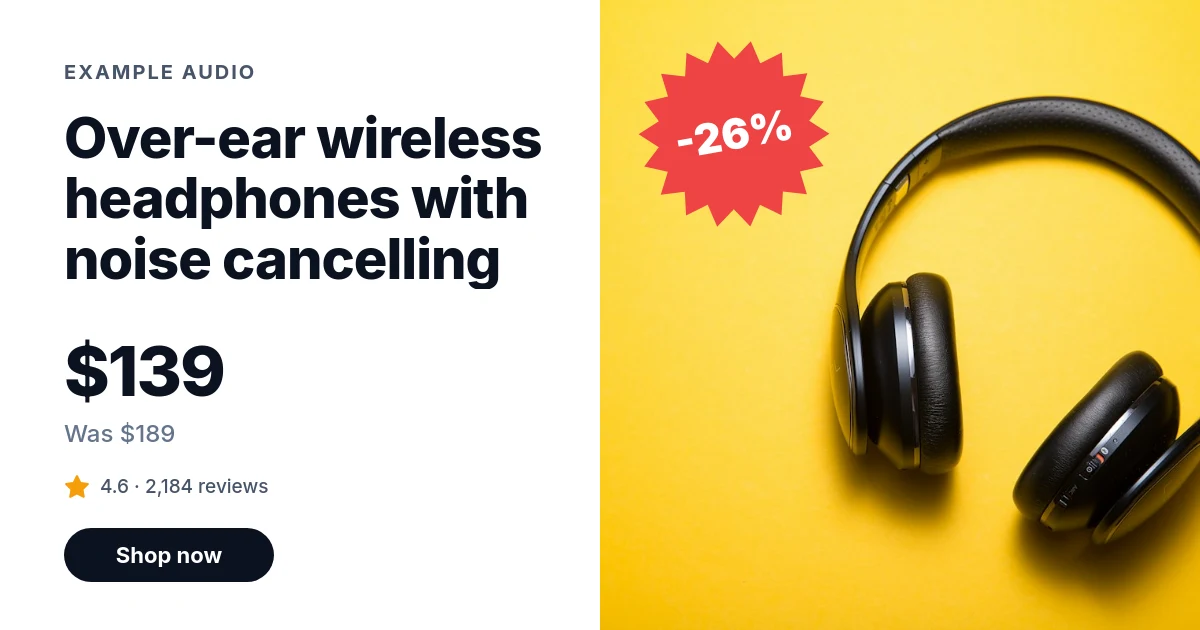
-d '{"template": "tpl_…", "variables": {"store": "Example Audio", "product": "Over-ear wireless headphones with noise cancelling", "price": "$139", "note": "Was $189", "badge": "-26%", "rating": "4.6 · 2,184 reviews", "cta": "Shop now", "photo": "https://images.unsplash.com/photo-1505740420928-5e560c06d30e?w=1200"}}'Three ways in, from one template.
Product pages make their own cards when a link is shared. The catalogue makes the rest in a batch. A platform does the same for every store it serves.
On the product page: a signed URL
The theme builds the image URL from the product, next to where it prints the price. Shopify's Liquid can sign it with hmac_sha256, and so can WooCommerce's PHP or a headless storefront. The price is in the URL, so a new price is a new card, made the first time the page is shared after it.
For ads and email: the catalogue
Export the products, one row each, and post the file: up to 1,000 rows at a time, every URL back at once, a webhook when they are done. A column named after a layer property, like product.font, changes that layer for one row. Try ten rows.
For a platform: each store's brand
Building for many shops? Keep each one's name, colours, fonts and logo as a brand kit, point the template's layers at {{brand.…}}, and name the brand on each render. One template wears every merchant's look.
# 1. Copy the product sale starter into your account; its id is your template
curl -s https://api.imageapis.com/v1/starters/product-sale -H 'X-API-Key: YOUR_KEY' | jq .template > card.json
curl -X POST https://api.imageapis.com/v1/templates -H 'X-API-Key: YOUR_KEY' \
  -H 'Content-Type: application/json' -d @card.json
# → { "id": "tpl_…", "object": "template", … }

# 2. For product pages: a signed base that can render that template and nothing else
curl -X POST https://api.imageapis.com/v1/signed-bases -H 'X-API-Key: YOUR_KEY' \
  -H 'Content-Type: application/json' -d '{"name":"product cards","template":"tpl_…"}'
# → { "id": "sb_…", "secret": "sbs_…", … }
{%- comment -%}
snippets/imageapis-card.liquid. In Dawn, render it from snippets/meta-tags.liquid in place of the og:image
and twitter:image tags on product pages:
{% if request.page_type == 'product' %}{% render 'imageapis-card', product: product %}{% endif %}
Theme settings hold imageapis_template (tpl_…), imageapis_base (sb_…) and imageapis_secret (sbs_…).
{%- endcomment -%}
{%- if product.compare_at_price > product.price -%}
{%- assign off = product.compare_at_price | minus: product.price | times: 100 | divided_by: product.compare_at_price -%}
{%- assign badge = off | prepend: '-' | append: '%' -%}
{%- assign note = product.compare_at_price | money_without_trailing_zeros | prepend: 'Was ' -%}
{%- else -%}
{%- assign badge = 'Free returns' -%}
{%- assign note = 'In stock' -%}
{%- endif -%}
{%- if product.metafields.reviews.rating.value != blank -%}
{%- capture rating -%}{{ product.metafields.reviews.rating.value.rating | round: 1 }} · {{ product.metafields.reviews.rating_count }} reviews{%- endcapture -%}
{%- else -%}
{%- assign rating = 'New this season' -%}
{%- endif -%}
{%- capture query -%}
store={{- shop.name | url_encode -}}
&product={{- product.title | url_encode -}}
&price={{- product.price | money_without_trailing_zeros | url_encode -}}
¬e={{- note | url_encode -}}
&badge={{- badge | url_encode -}}
&rating={{- rating | url_encode -}}
&cta=Shop+now&photo={{- product.featured_image | image_url: width: 1200 | prepend: 'https:' | url_encode -}}
{%- endcapture -%}
{%- assign path = '/s/' | append: settings.imageapis_base | append: '/' | append: settings.imageapis_template | append: '.png?' | append: query -%}
{%- assign sig = path | hmac_sha256: settings.imageapis_secret -%}
{%- assign card = 'https://img.imageapis.com' | append: path | append: '&sig=' | append: sig -%}
<meta property="og:image" content="{{ card | escape }}">
<meta property="og:image:secure_url" content="{{ card | escape }}">
<meta property="og:image:width" content="1200">
<meta property="og:image:height" content="630">
<meta name="twitter:image" content="{{ card | escape }}"><?php
// functions.php or a small plugin; in wp-config.php:
// define('OG_TEMPLATE', 'tpl_…'); define('OG_BASE', 'sb_…'); define('OG_SECRET', 'sbs_…');
function imageapis_product_card_url(WC_Product $product): string {
$plain = fn ($s) => html_entity_decode(wp_strip_all_tags($s), ENT_QUOTES | ENT_HTML5, 'UTF-8'); // wc_price() is HTML
$price = (float) $product->get_price();
$regular = (float) $product->get_regular_price();
$on_sale = $product->is_on_sale() && $regular > $price;
$reviews = $product->get_review_count();
$query = http_build_query([
'store' => $plain(get_bloginfo('name')),
'product' => $plain($product->get_name()),
'price' => $plain(wc_price($price)),
'note' => $on_sale ? 'Was ' . $plain(wc_price($regular)) : 'In stock',
'badge' => $on_sale ? '-' . round(100 * ($regular - $price) / $regular) . '%' : 'Free returns',
'rating' => $reviews ? sprintf('%.1f · %d reviews', $product->get_average_rating(), $reviews) : 'New this season',
'cta' => 'Shop now',
'photo' => wp_get_attachment_image_url($product->get_image_id(), 'large') ?: wc_placeholder_img_src('large'),
]);
$msg = '/s/' . OG_BASE . '/' . OG_TEMPLATE . '.png?' . $query;
return 'https://img.imageapis.com' . $msg . '&sig=' . hash_hmac('sha256', $msg, OG_SECRET);
}
add_action('wp_head', function () {
if (!is_product()) return;
$url = esc_url(imageapis_product_card_url(wc_get_product(get_the_ID())));
echo "<meta property=\"og:image\" content=\"$url\">\n";
echo "<meta name=\"twitter:card\" content=\"summary_large_image\">\n<meta name=\"twitter:image\" content=\"$url\">\n";
});
// Yoast SEO already prints og:image? Swap its URL instead of printing a second tag:
// add_filter('wpseo_opengraph_image', fn ($img) => is_product() ? imageapis_product_card_url(wc_get_product(get_the_ID())) : $img);# products.csv: a column per {{placeholder}}; a layer.property column changes that layer for one row
# (empty cells keep the template's value); a column starting with _ comes back as metadata
store,product,price,note,badge,rating,cta,photo,product.size,product.font,note.font,rating.font,cta.font,_sku
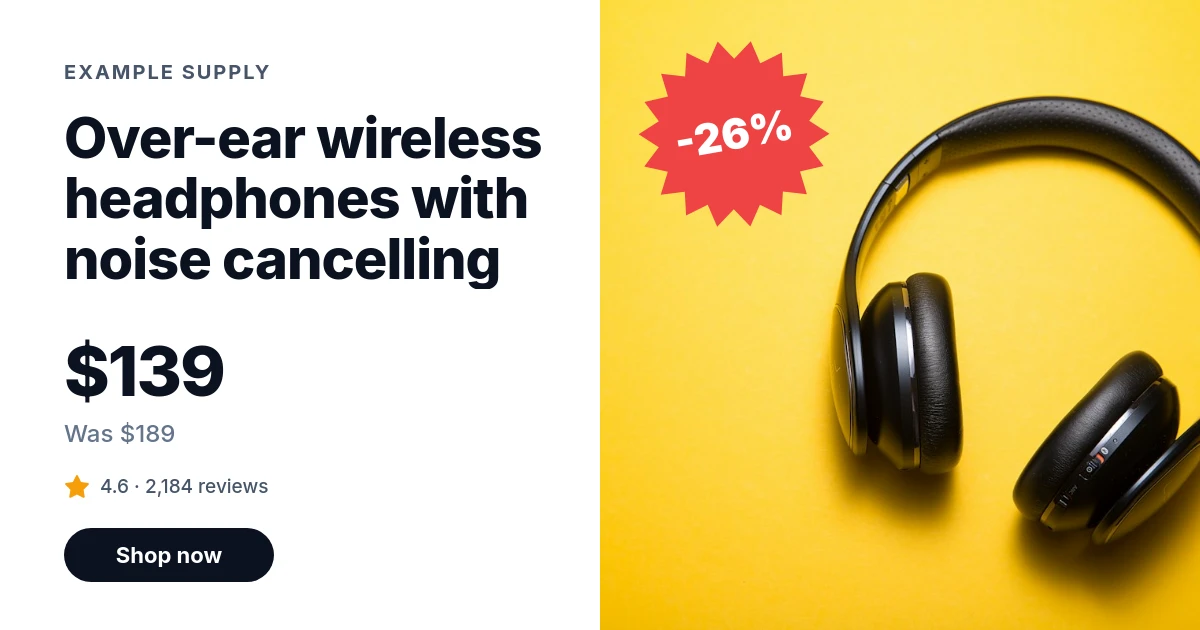
Example Supply,Over-ear wireless headphones with noise cancelling,$139,Was $189,-26%,"4.6 · 2,184 reviews",Shop now,https://cdn.example.com/p/hp-1.jpg,,,,,,HP-1
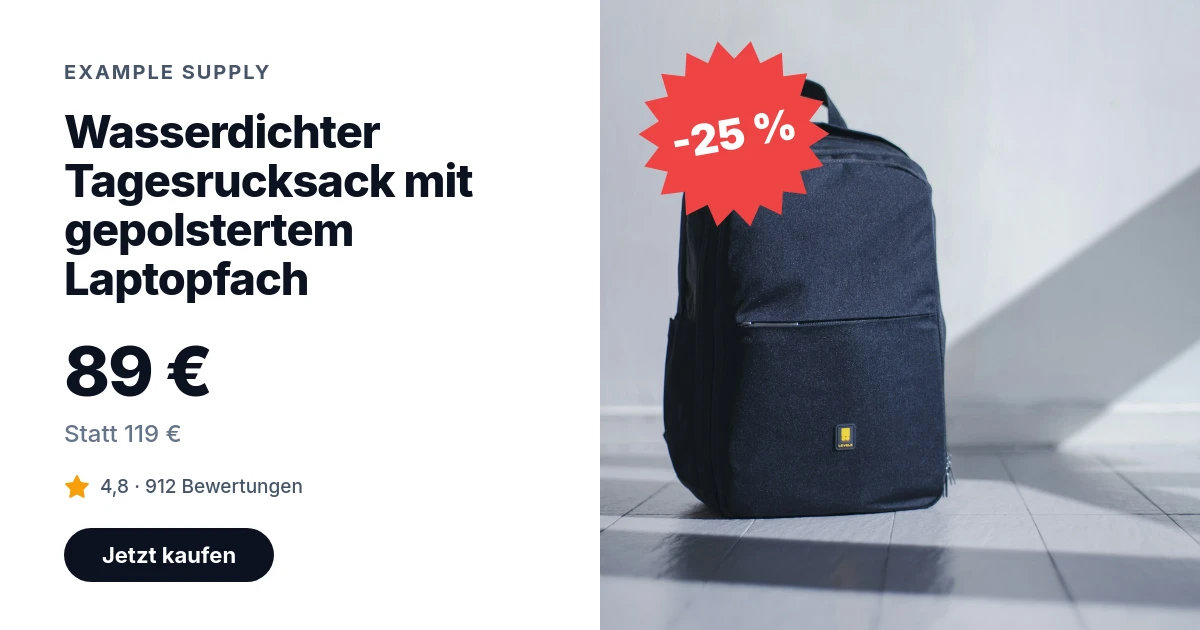
Example Supply,Wasserdichter Tagesrucksack mit gepolstertem Laptopfach,89 €,Statt 119 €,-25 %,"4,8 · 912 Bewertungen",Jetzt kaufen,https://cdn.example.com/p/bp-2.jpg,,,,,,BP-2
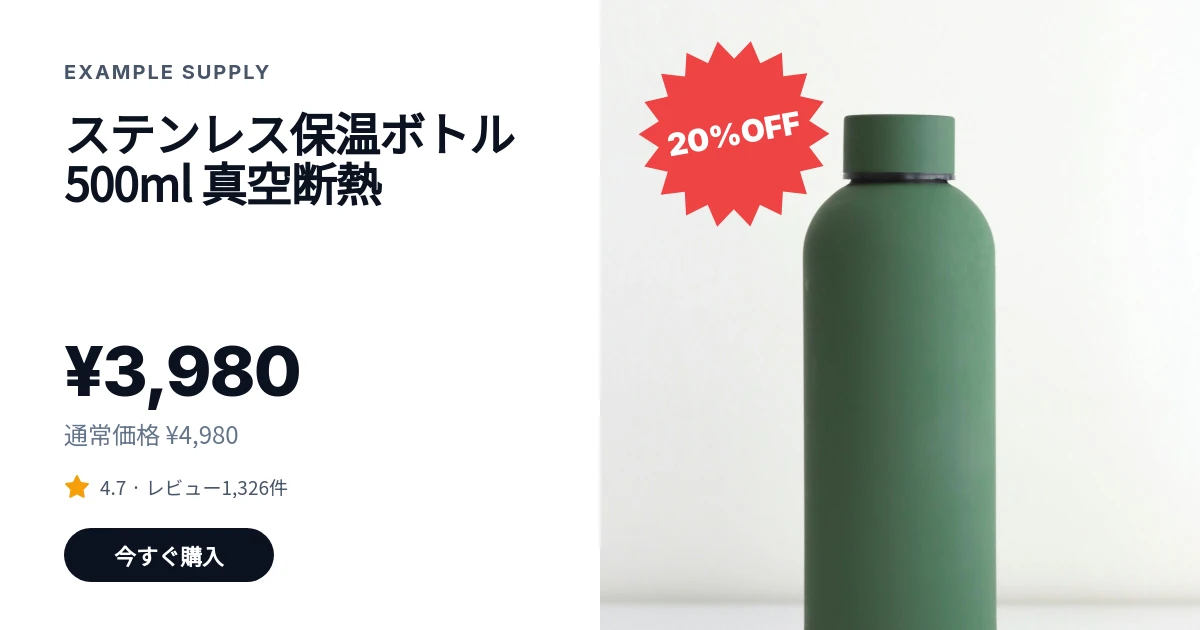
Example Supply,"ステンレス保温ボトル
500ml 真空断熱","¥3,980","通常価格 ¥4,980",20%OFF,"4.7 · レビュー1,326件",今すぐ購入,https://cdn.example.com/p/wb-3.jpg,46,Noto Sans JP,Noto Sans JP,Noto Sans JP,Noto Sans JP,WB-3
curl -X POST "https://api.imageapis.com/v1/collections?template=tpl_…&webhook_url=https://shop.example.com/hooks/cards" \
-H 'X-API-Key: YOUR_KEY' -H 'Content-Type: text/csv' --data-binary @products.csv
# → 202 { "id": "col_…", "status": "pending", "images": [
# { "index": 0, "id": "img_…", "url": "https://img.imageapis.com/i/img_….png", "metadata": { "sku": "HP-1" } }, … ] }# Once per merchant: their name, colours, fonts and logo
curl -X POST https://api.imageapis.com/v1/brands -H 'X-API-Key: YOUR_KEY' -H 'Content-Type: application/json' \
-d '{"name":"Example Supply","logo":"https://cdn.example.com/logo.png",
"colors":{"primary":"#16a34a","text":"#0b1220"},"fonts":{"heading":"Fraunces"}}'
# → { "id": "brand_…", "object": "brand", … }
# Once: in your copy of the sale card, point the layers at the brand
# store → "text": "{{brand.name}}"
# product → "font": "{{brand.font.heading}}", "color": "{{brand.color.text}}"
# sticker → "fill": "{{brand.color.primary}}"
# cta → "background": "{{brand.color.primary}}"
# Every render names the merchant's brand; the same template wears each one
curl -X POST https://api.imageapis.com/v1/images -H 'X-API-Key: YOUR_KEY' -H 'Content-Type: application/json' \
-d '{"template":"tpl_…","brand":"brand_…","variables":{"product":"Over-ear wireless headphones","price":"$139",
"note":"Was $189","badge":"-26%","rating":"4.6 · 2,184 reviews","cta":"Shop now","photo":"https://cdn.example.com/p/hp-1.jpg"}}'
# Collections take "brand" too, and so do signed URLs: …/tpl_….png?brand=brand_…&product=…&sig=…Sign the query string exactly as you send it: Liquid's url_encode and PHP's http_build_query both write spaces as +, and each example signs the string it then puts in the URL. Theme settings and wp-config.php are seen by staff, never by shoppers; a base locked to one template can only ever make that card. A headless storefront signs the same way as the Next.js guide, and the signed URLs guide has Python too.
One template, every currency and language.
Prices arrive written the way each market writes them, so the template never does currency maths. A long German name shrinks to fit with its words kept whole, and a row can switch a layer's font, so Japanese, Chinese and Korean draw in Noto from Google Fonts. These are three rows of the CSV in the code above.
The rest of what a store asks for.
Every size for every channel
Square, story, Pinterest and a banner from one call, one image per size. A wide size comes out right as it is; a portrait one may want a few modifications, as the publishing page shows. Sizes and brands.
A product that moves
Give the card's layers an entrance and render an MP4, WebM or GIF of up to 30 seconds for ads and stories, with a soundtrack under the MP4 or WebM if you give it one. Animate a card.
Price sheets, invoices and slips
The same kind of template renders to PDF, one image per page: a wholesale price sheet from the catalogue, an invoice or a packing slip from an order. PDF invoices.
QR codes for packaging
A code that opens the product page, as SVG for print or PNG, or a QR layer in a template for shelf labels and parcel inserts. Make a QR code.
Photos behind a login
Image layers need a public URL. Upload a photo from a private bucket or a PIM and it is served from img.imageapis.com until you delete it. Uploads are free. Upload images.
From your store's assistant
Connect the MCP server to Claude, Cursor or your own agent with the same key, and it can make the week's sale cards from a product list. Set it up.
One image per card, every week if you like.
A product page's card is made on its first fetch and served from the cache for a week; a catalogue run makes one image per row. Either way, a card a week per product is a fair way to plan.
| Products | Cards a month, re-made weekly | Plan |
|---|---|---|
| 30 | 120 | Free, $0 (150 included) |
| 400 | 1,600 | Starter, $9 (2,000 included) |
| 2,000 | 8,000 | Growth, $29 (10,000 included) |
| 9,000 | 36,000 | Scale, $79 (40,000 included) |
Counted as four cards per product a month. Each extra size or market is one more image. Past a paid plan's images, renders cost $2 to $4 per 1,000; the free plan stops at 150. All plans.
Read further.
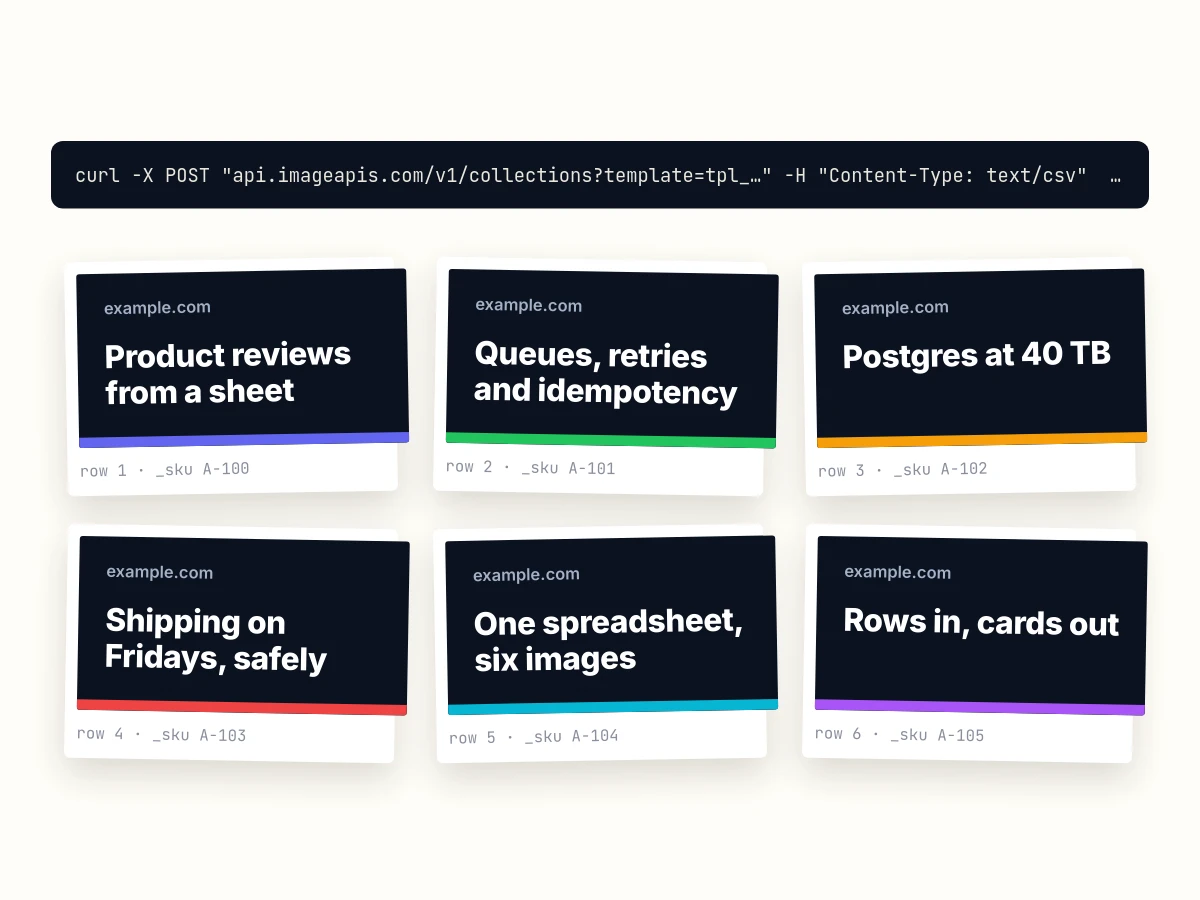
Images from a CSV
Turn a CSV or a Google Sheet into one image per row with one API call. Columns fill placeholders or change layers by name, up to 1,000 rows, a webhook when they are done, and how to retry the rows that failed.
curl · Python · Google Sheets · 4 min read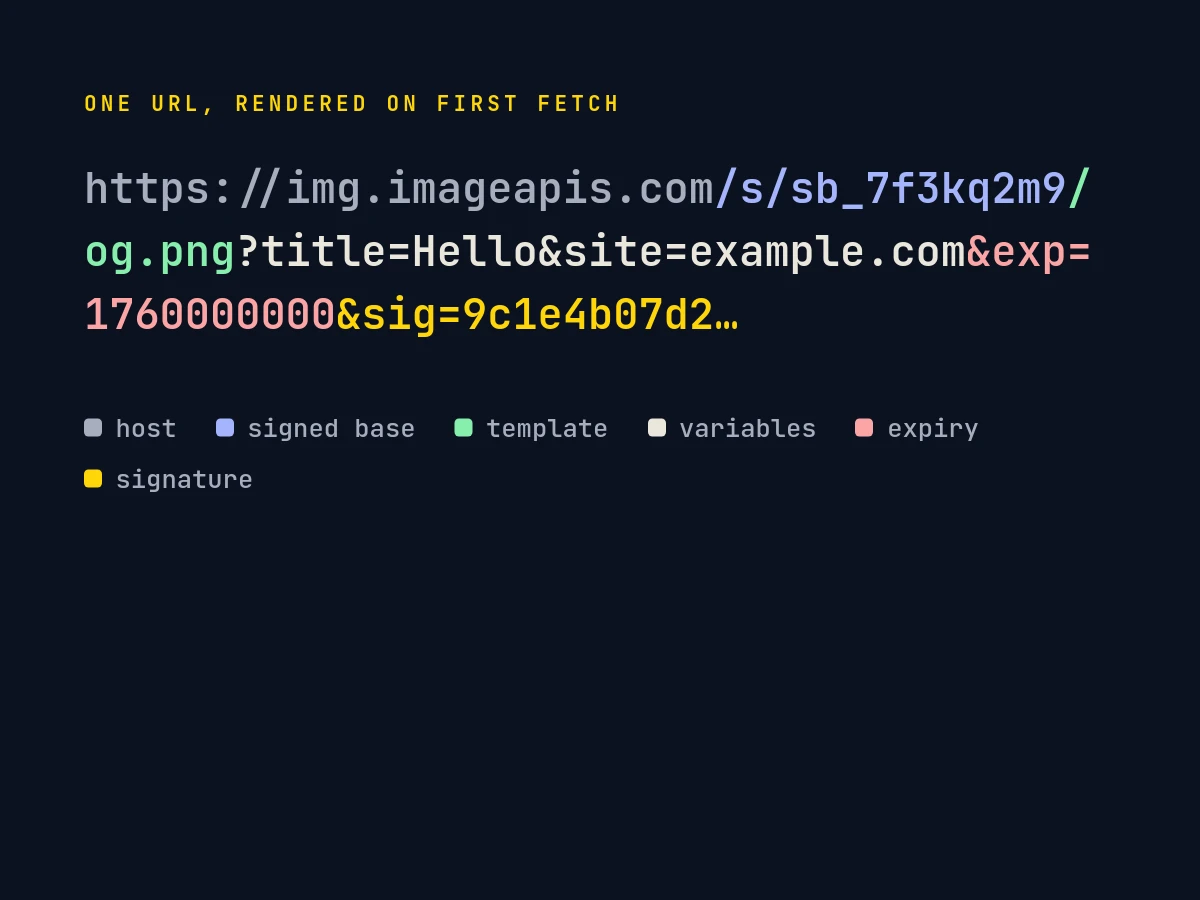
Signed URLs
How imageapis.com signed URLs work: HMAC-SHA256 over the path and query, expiry, template locking, edge caching, revocation, charts and QR codes as SVG, and the four lines of code in Python, Node and PHP.
Python · Node · PHP · 4 min read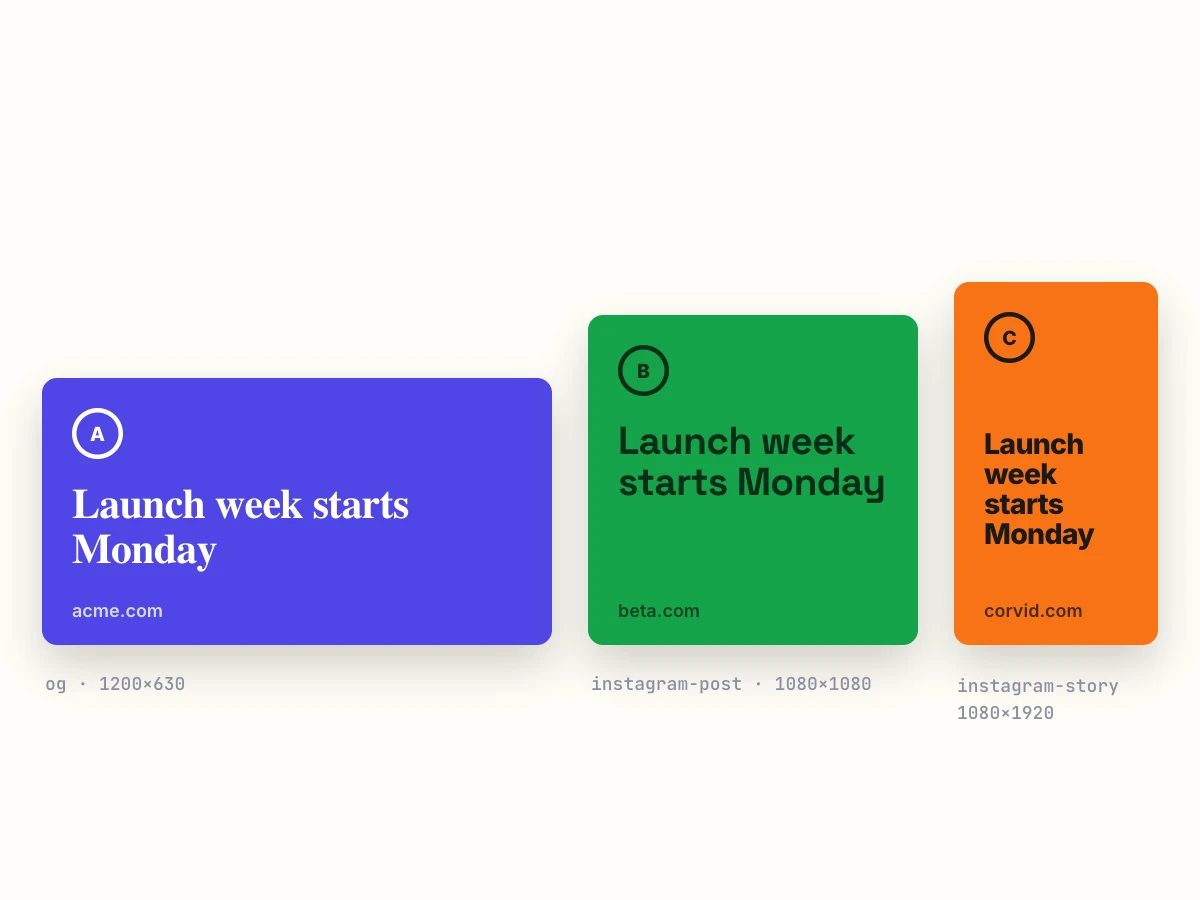
One template, every size and every brand
Render one design as an Open Graph card, a square post, a story and a banner in one call with POST /v1/images/sizes, and fill each customer's colours, fonts and logo from a brand kit with {{brand.…}} placeholders.
curl · Node · 4 min read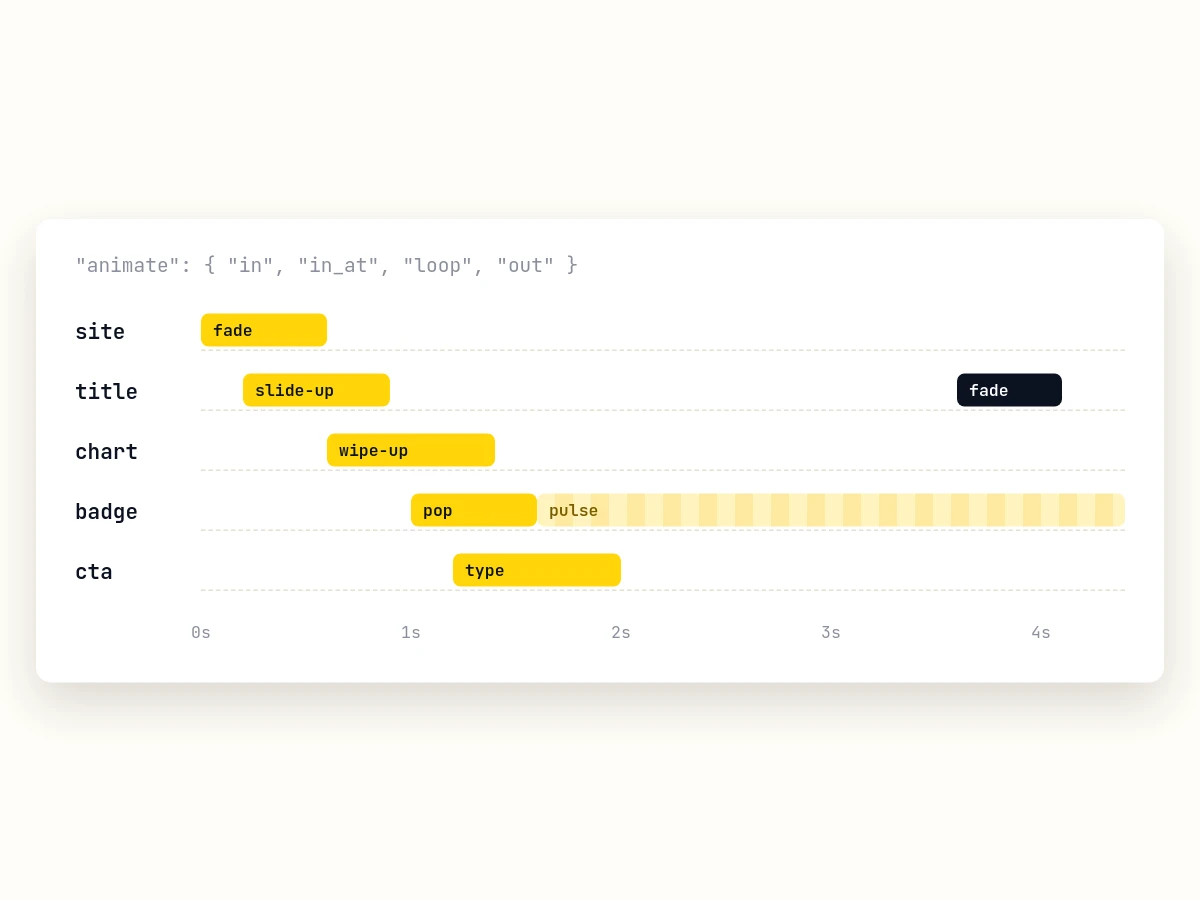
Videos from templates
Give template layers an entrance, a loop or an exit and render the template as an MP4, WebM or GIF. Every animation option, timing, formats, waiting or webhooks, HTML with CSS animations, cost and limits.
curl · Python · CSS · 5 min read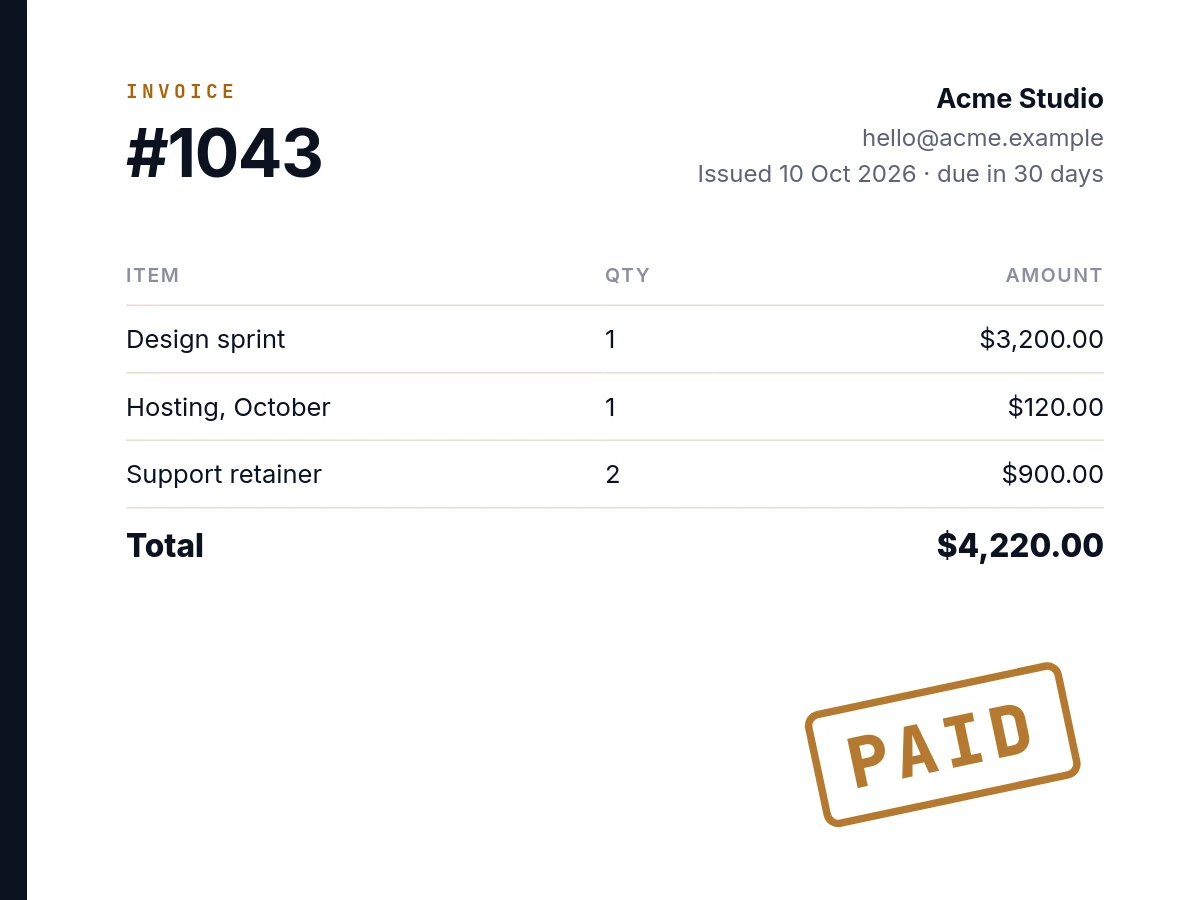
PDF invoices from HTML
Generate invoice PDFs from an HTML template with {{placeholders}}, A4 with margins, rendered in the background and delivered by webhook. Complete example.
HTML to PDF · 2 min read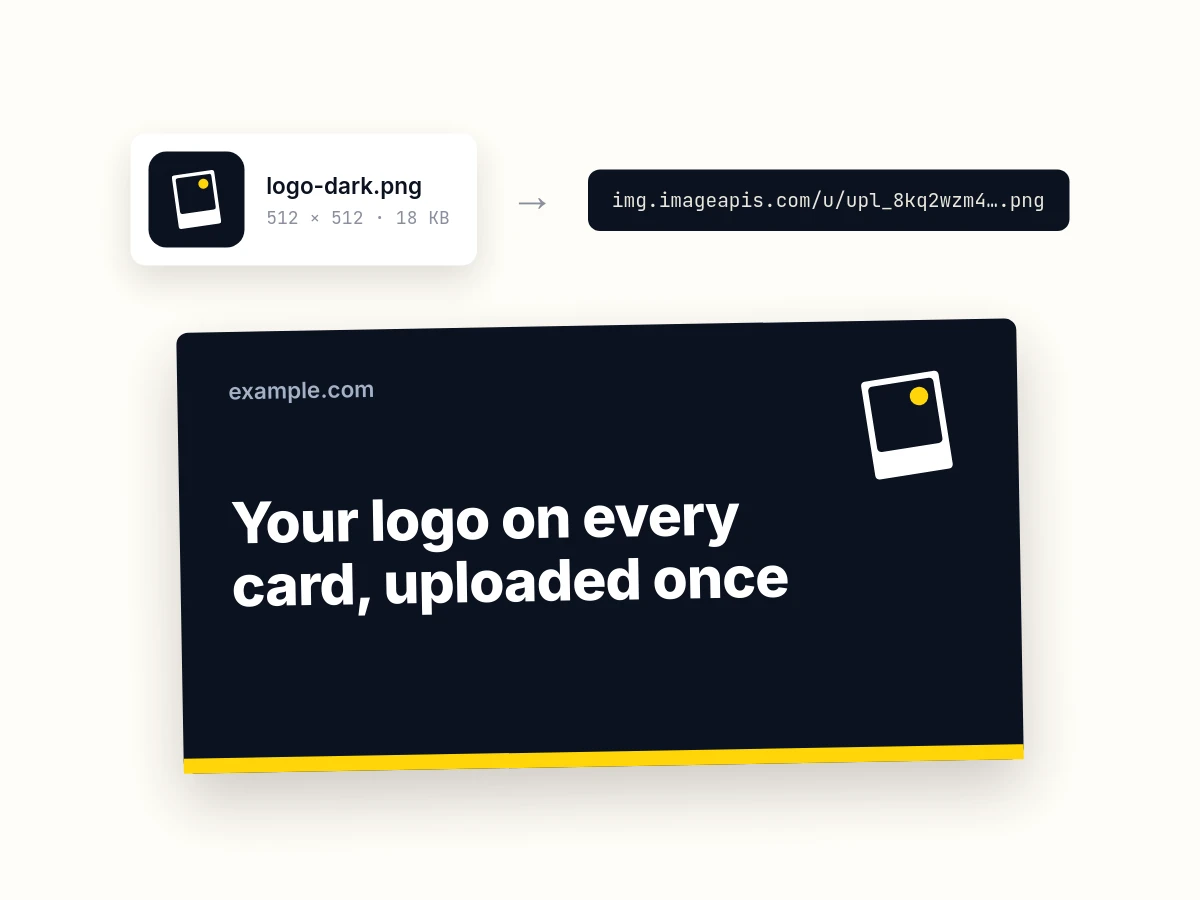
Upload your own images
Upload a logo or photo once and use its URL in any template, CSV or render. Send the file, a form, a URL to copy, or base64; PNG, JPEG, WebP, GIF, AVIF and SVG up to 10 MB. Free, kept until you delete it.
curl · Python · Editor · 4 min readQuestions stores ask.
Can these go in Google Shopping?
Not as the main product image. Google Merchant Center wants the product on its own, without promotional text or badges, so keep your plain photo as image_link. Use these cards on social, in ads that allow text, in email, and as your product pages' share images.
Do you remove backgrounds?
No. Use photos with a clean background, as most product photography already has, or remove it before you upload. A cut-out PNG on an image layer with fit: "contain" sits on whatever colour the template gives it.
What happens when a price changes?
On a product page, the price is part of the signed URL, so a new price makes a new URL and a new card on its first fetch. Social networks keep the image they already scraped until they look again. For the catalogue, post the changed rows again.
Is there a Shopify app?
No. The theme snippet above does the work in Liquid, with no app to install. For automations, the ImageAPIs app for Zapier can make a card when Shopify adds a product; it is waiting on Zapier's review, so ask for an invite.
Where does the secret live in a theme?
In the theme settings, which only staff who can edit the theme see; the page a shopper loads carries the signature, never the secret. Lock the signed base to the card's template so a leaked secret can only make that card, and delete the base to stop every URL built on it.
How many products can it handle?
A collection takes up to 1,000 rows, and you can send as many collections as your plan has images for; each is reserved against the plan before it starts. Signed URLs have no batch at all: each product page makes its own card.
Start from the sale card above.
Copy the product sale starter into your account, then paste the snippet for your store or post a CSV of the catalogue. The first 150 cards each month are free.